Writing 3 min read
Introducing: the AI assistant
Log money in Money Diary by typing a sentence: batch entries, receipt photos, corrections by conversation, and questions about your own ledger.

Zain Haroon — Full-stack Engineer
Every tracker I’ve used died the same way. Two good weeks, one busy day I didn’t log, then a backlog I never cleared. The fix I settled on for Money Diary was to make logging faster than skipping it, which meant getting rid of the form.
Open it and type what happened
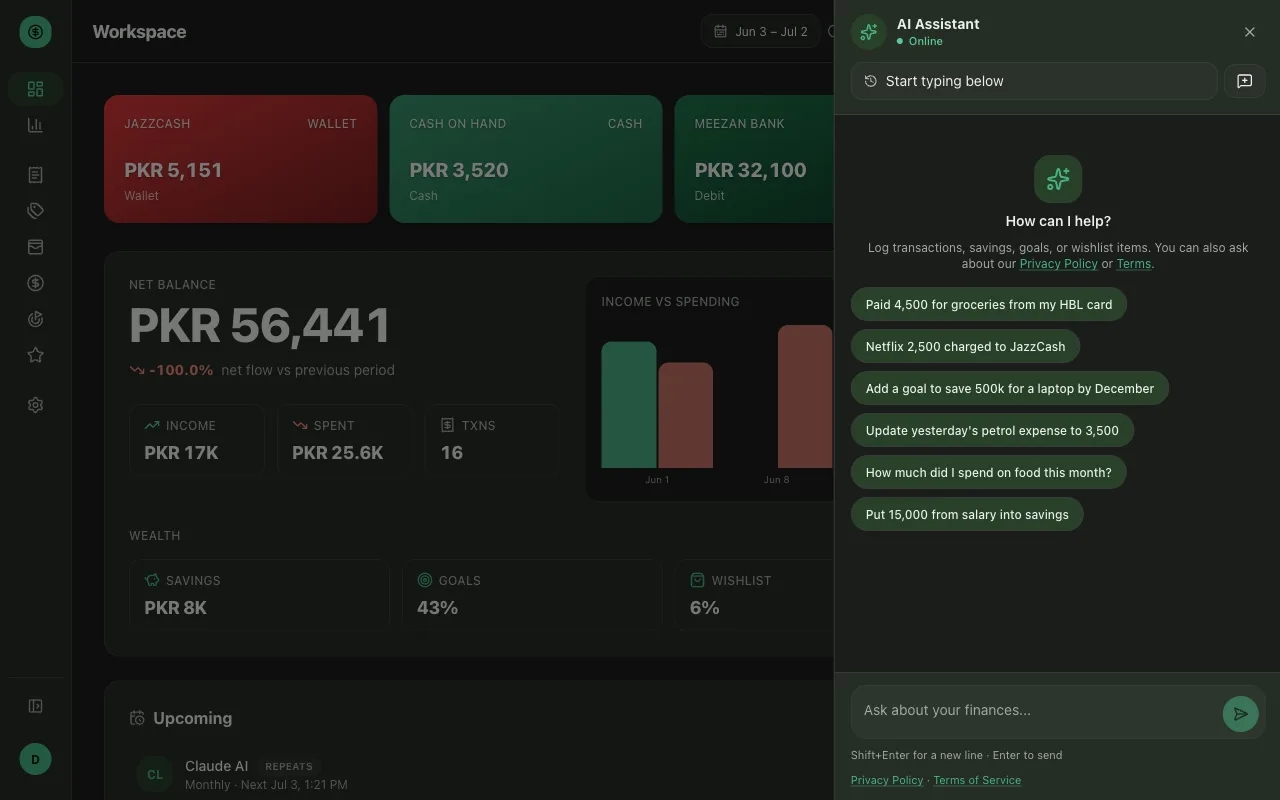
The AI button sits in the top bar on every page. Click it and a panel slides in with a chat box at the bottom. Enter sends, Shift+Enter gives you a new line.
Type the way you’d tell a friend:
Paid 4,500 for groceries from my HBL card
Netflix 2,500 charged to JazzCash
Put 15,000 from salary into savings
Add a goal to save 500k for a laptop by December
Each one becomes a real entry: categorised, attached to the right account, filed as the right kind of money. The assistant creates and edits transactions, savings, goals and wishlist items, so you rarely need to open a form at all. If you’re not sure how to phrase something, the panel starts with suggested prompts you can tap.
Log a whole shopping trip in one message
The feature I use most is batch logging. After a big grocery run I list everything in one message, one item per line, and each line becomes its own transaction. It handles up to fifty in a single go.
That turns twenty scattered form-fills into one message on the walk home, which is the difference between keeping the habit and abandoning it.
Or photograph the receipt
For anything with a paper trail, skip typing. Attach a photo of the receipt and the assistant reads the items, amounts and store off it, then shows you the transactions to confirm before they’re saved. Fifteen-line supermarket receipts are where manual entry always died for me.
Receipt scanning is the one thing the free plan leaves out; it starts on Plus at $4 a month.
Fix mistakes by saying so
Corrections are the same conversation. You don’t hunt for the row:
Update yesterday’s petrol expense to 3,500
Delete the Pizza Next one
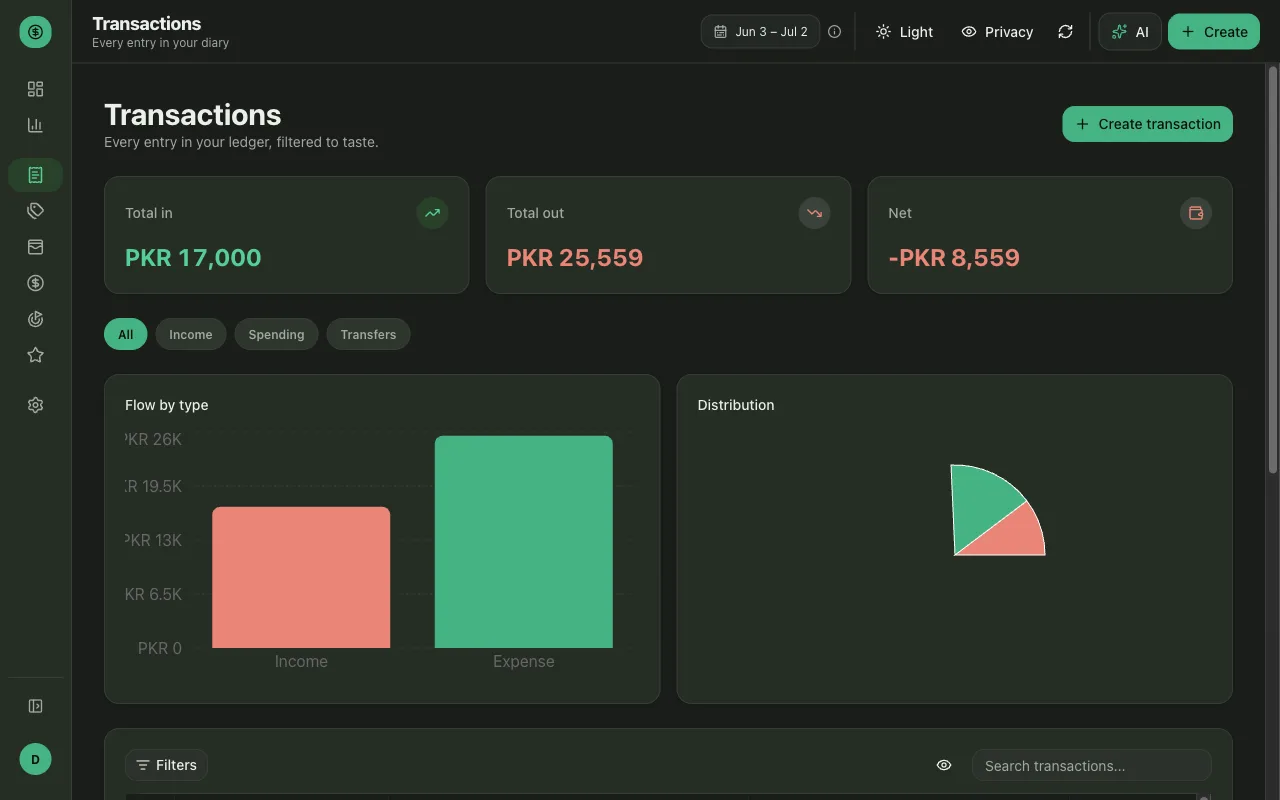
When you’d rather work by hand, the Transactions page has everything the assistant logged: totals for money in, out and net at the top, tabs for income, spending and transfers, plus filters and a search box.
Ask it about your own money
The assistant reads your ledger back, so it answers questions a spreadsheet makes you build a pivot table for:
- How much did I spend on food this month?
- How close am I to my laptop goal?
- How much do people owe me right now?
It computes against your actual rows and gives you the number.
What it can and can’t reach
Three things about how it’s built, since you’re pointing a language model at your own financial records. The full version is on the project page:
- It runs as you. Everything it touches is scoped to your session, and there is nothing you can type that makes it read or write another person’s ledger.
- Every action it proposes is schema-validated before it reaches the database. If the shape is wrong, the write never happens.
- Data queries come back capped and summarised rather than dumping your whole history into a prompt.
Loans and split bills involve other people’s money, so I still read those entries myself after the assistant files them. Everything else I let it handle.
Anything the assistant does spends AI credits: 50 a month on the free plan with a 10-a-day cap, 1,000 on Plus, 4,000 on Pro. The ledger itself is unlimited on every plan, transactions, savings, goals and wishlist alike, and the manual forms never cost a credit.
Try one thing
Pick the entry you make most often and log it as a sentence instead of a form. Then try the receipt photo on your next grocery run.